
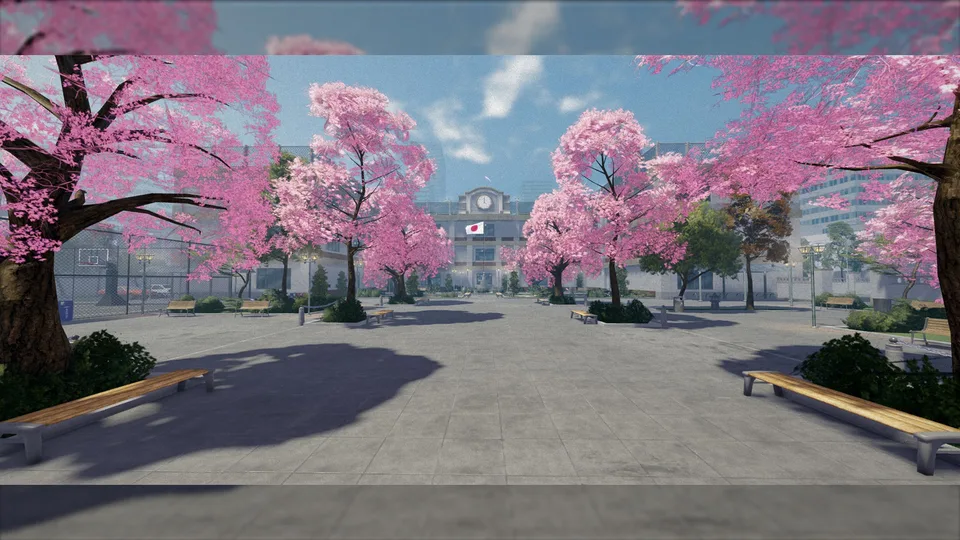
There is nothing more frustrating than being in the middle of a high-stakes moment in the gymnasium or finally starting your new delivery job in the latest update, only to have your screen freeze and the application close unexpectedly. If you have recently found yourself dealing with Gakuran crashing on mobile, you are certainly not alone. As the game continues to evolve with massive content updates, players on handheld devices are increasingly reporting stability issues that interrupt their gameplay.
Understanding why these crashes happen is the first step toward fixing them. Whether it is a server-side issue caused by malicious scripts or a client-side limitation due to your device’s hardware, knowing the difference can save you hours of unnecessary troubleshooting. In this guide, we will break down the causes behind Gakuran crashing on mobile and provide actionable solutions to help you get back into the game smoothly.
Understanding the Nature of the Problem
Before you start uninstalling apps or factory resetting your phone, it is crucial to understand that not all crashes are the same. In the world of Roblox, a "crash" is often a catch-all term for any situation where the game stops working, but the root causes can vary wildly.
For many players, Gakuran crashing on mobile is often linked to the game's recent, massive updates. Developers frequently add complex features—like the new Club Akuma, intricate fighting styles, and expanded gymnasium mechanics—that demand more from your phone's processor and RAM. When these resources are maxed out, the game client may simply shut down to prevent your device from overheating or failing.
However, there is another side to the story: server-side instability. Community reports have highlighted instances where malicious scripts or "exploits" are used to intentionally crash servers. If you notice that everyone in the game freezes simultaneously before you are disconnected, it is highly likely that the server itself has crashed, not your phone.
| Crash Type | Primary Cause | Symptom |
|---|---|---|
| Client Crash | Device hardware/RAM limits | App closes instantly to home screen |
| Server Crash | Malicious scripts/Update bugs | Everyone freezes; "Lost Connection" message |
| Network Timeout | Unstable Wi-Fi/Data | Lag spikes, then sudden disconnection |
| Update Bug | Unoptimized game code | Consistent crashes after a specific update |
Why Mobile Devices Struggle with Gakuran
Roblox is a powerful engine, but it requires significant resources to render the detailed environments found in Gakuran. When you play on a mobile device, your hardware is working overtime to render textures, physics, and the interactions of other players in the server.
When a major update drops—such as the recent expansion of the gymnasium or the introduction of the new delivery app—the game world becomes more "heavy." If you are playing on an older smartphone or a device with limited memory, your system may struggle to keep up with the data load. This results in the game stuttering, lagging, and eventually, the dreaded crash.
If you are experiencing Gakuran crashing on mobile, it is important to assess whether your device meets the current performance demands. While the game is designed to be accessible, high-intensity scenes—like large player gatherings at Club Akuma—can overwhelm mobile hardware.
Step-by-Step Troubleshooting for Mobile Players
If your game is consistently closing, follow this systematic approach to identify and resolve the issue. We recommend trying these steps in order, starting from the simplest fixes.
Tip
Clear Your Cache and Restart Often, temporary files stored by the Roblox app can become corrupted after a major game update. Clearing the app cache or performing a fresh reinstall of the Roblox app is the most effective way to clear out "junk" data that may be causing conflicts.
1. Check Your Network Stability
A weak connection can mimic a crash. If your ping spikes, the server may drop your connection. Try switching from cellular data to a stable Wi-Fi network, or vice versa.
2. Lower Graphics Settings
This is the most effective way to prevent Gakuran crashing on mobile. By reducing the load on your GPU, you give your phone more "breathing room."
| Setting | Recommendation | Why? |
|---|---|---|
| Graphics Mode | Manual | Allows you to override auto-settings |
| Graphics Quality | 1 or 2 | Reduces the number of rendered polygons |
| Shadows | Off | Shadows are resource-intensive for mobile CPUs |
| Particle Effects | Low | Reduces visual clutter during fights |
3. Close Background Applications
Your phone’s RAM is a limited resource. If you have apps like Instagram, TikTok, or Chrome running in the background, they are competing with Gakuran for memory. Close all other apps before launching the game.
Addressing Server-Side Instability
As noted by various community reports, there are times when the issue is entirely out of your control. We have seen instances where users report that specific scripts are being used to "crash" servers. In these scenarios, the game will often freeze for every player on the server simultaneously.
If you notice that the entire server is lagging or freezing before you get kicked, do not waste time resetting your router or clearing your cache. This is a clear indicator of a server-side event. Instead, try "server hopping." Leave the current server and join a different one. Often, these malicious scripts are isolated to specific instances, and joining a fresh server will resolve the Gakuran crashing on mobile issue immediately.
Furthermore, following the game's official social media channels or checking the game's description page on Roblox is a great way to stay informed. Developers often post updates about known bugs or server maintenance periods. If the developers are aware of a "crashing" issue, it usually means they are already working on a patch.
Optimizing Your Experience for Future Updates
The developers of Gakuran are constantly adding new content, such as the Mishima fighting style or the new delivery jobs. With each new feature, the game’s code becomes more complex. To keep your experience stable as the game grows, consider these proactive measures:
- Keep the App Updated: Always ensure you are running the latest version of the Roblox client from the App Store or Google Play Store. Outdated versions often struggle to communicate with updated game servers.
- Monitor Device Temperature: If your phone gets hot, it will automatically throttle its performance to prevent damage. This will cause the game to lag and crash. Play in a cool environment, and consider removing your phone case if you notice it overheating during long sessions.
- Avoid Overcrowded Servers: While playing with friends is fun, extremely populated servers require more data processing. If you are crashing, look for a server with fewer players.
Common Error Codes and What They Mean
Sometimes, when the game crashes, you might see an error code. Understanding these codes is essential for diagnosing whether the problem is on your end or Roblox's end.
| Error Code | Meaning | What to do |
|---|---|---|
| 277 | Lost Connection | Check your internet; restart your router |
| 264 | Logged in from another device | Change your password; secure your account |
| 769 | Server Shutdown | The developer is updating or restarting the server |
| Generic Crash | Out of Memory | Lower graphics settings; close background apps |
By paying attention to these codes, you can spend less time guessing and more time playing. If you consistently encounter Error 769, for example, it is a sign that the game is undergoing updates, and you should simply wait a few minutes before trying to reconnect.
Final Thoughts on Stability
Dealing with Gakuran crashing on mobile is undeniably frustrating, but it is rarely a permanent issue. Most crashes are the result of temporary server instability, high-traffic periods following a new update, or simple hardware limitations.
By optimizing your device settings, ensuring a stable internet connection, and knowing when to switch servers, you can mitigate most of these issues. Remember, the game is constantly being improved. If you encounter a persistent problem, the best course of action is to be patient, check community forums, and wait for the developer to push a stability patch. Your patience will be rewarded with the smooth, high-octane gameplay that makes Gakuran a favorite in the Roblox community.
Frequently Asked Questions (FAQ)
1. Why is Gakuran crashing on mobile every time I join a game? If it happens every single time, it is likely a client-side issue. Try clearing your Roblox app cache, reducing your graphics settings to the lowest level, and ensuring your device’s operating system is fully updated.
2. Is it my phone, or is Gakuran just buggy? It could be both. If you have a high-end device and the game crashes, it is likely an issue with the game's optimization or a server-side bug. If you are on an older, budget phone, your hardware may simply be struggling to render the game's new features.
3. Can I fix the crashing caused by server-side scripts? No, you cannot fix server-side malicious scripts yourself. These crashes affect everyone on the server. The only solution is to leave the server and join a different one (server hopping) until you find a stable instance.
4. Will lowering my graphics settings stop the game from crashing? Yes, for many players, lowering graphics settings is the most effective way to prevent Gakuran crashing on mobile. It reduces the strain on your phone's processor and RAM, which is usually the primary cause of app closures during intense gameplay.