Mastering Gakuran Controls: A Complete Combat Guide
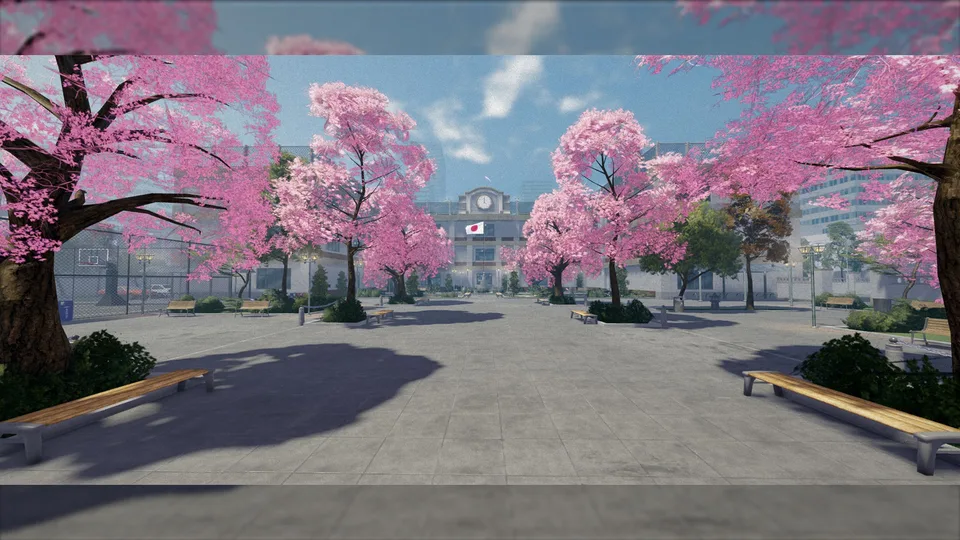
Master the Gakuran controls with our complete guide. Learn essential combat mechanics, fighting styles, and expert tips to dominate the schoolyard in Roblox.
Published: Gakuran Wiki Editorial Team
Video Guide
BEST GAKURAN GUIDE (ALL TIPS & TRICKS, FIGHTING STYLE, CONTROLS) | ROBLOX GAKURAN BEGINNERS GUIDETable of Contents
The world of Gakuran on Roblox is far more than just a high school simulator; it is a complex, physics-based fighting game that demands precision and timing. If you are new to the servers, you might find yourself quickly overwhelmed by seasoned players who seem to move with fluid grace while you struggle to land a single punch. Understanding the core gakuran controls is the absolute first step in transitioning from an easy target to a formidable rival in the schoolyard.
Many beginners jump into the game assuming it plays like a standard social RPG, but the combat mechanics are surprisingly deep. Whether you are aiming to master the art of the perfect parry or simply want to know how to navigate the school grounds, learning the gakuran controls thoroughly will save you from frustration and help you climb the ranks faster. In this guide, we will break down the essential keybindings, combat strategies, and hidden mechanics that veteran players use to stay ahead.
Mastering the Fundamentals of Movement
Before you even think about throwing a punch, you need to understand how to navigate the environment. Movement in Gakuran is responsive, but it requires practice to use effectively during high-intensity combat. The standard WASD movement is familiar to anyone who plays on Roblox, but the utility keys are what truly define a good player.
You should spend your first few minutes in a quiet area—perhaps the gym or a secluded part of the school—getting comfortable with these basic inputs.
Action
Key / Input
Move Forward
W
Move Left
A
Move Backward
S
Move Right
D
Sprint
Hold Shift
Open Phone Menu
Alt
Shift Lock
Ctrl
Emote Wheel
G
Zoom In/Out
I / O
As noted by long-time players, sprinting is not just for travel; it is a tactical tool. Holding Shift allows you to chase down fleeing opponents or create space when you are low on health. However, be mindful that excessive movement can drain your stamina, leaving you vulnerable to a guard break.
Essential Combat Controls
The combat system is where the game truly shines. One of the most common mistakes beginners make is trying to attack immediately upon spawning. You must remember that you cannot fight without first entering your combat stance. This is the cornerstone of all gakuran controls; without the stance, your character remains a civilian who cannot defend themselves.
The Combat Layout
Action
Key / Input
Toggle Fighting Stance
T
Light Attack (M1)
Left Click
Heavy Attack (M2)
Right Click / R
Block / Parry
F
Dash / Evasive Roll
Q
Execute Downed Player
B
Carry Downed Player
V
Always press "T" before engaging. If you find yourself unable to attack, check your status—you have likely forgotten to toggle your stance. Community veterans often emphasize that "T" is the most important key in your arsenal because it activates your selected fighting style's unique move set.
Tip
Don't Spam M1
A common beginner trap is mashing the left mouse button. The game has an input buffer that locks you into a full animation sequence. Experienced players will bait you into this, parry your third or fourth hit, and counter-attack. Keep your inputs deliberate and rhythmic.
Character Attributes and the Role of Height
Your character’s build is not just cosmetic. According to community reports, the height you roll for your character significantly alters your mechanical capabilities. This is a crucial aspect of the game that many players overlook until they find themselves losing fights they "should" have won.
Attribute
Taller Characters
Shorter Characters
Hitbox
Larger (Easier to hit)
Smaller (Harder to hit)
Base Damage
Higher
Lower
Attack Range
Extended (Melee advantage)
Reduced
Attack Speed
Slower
Faster
Stamina
Standard
Faster Recovery
If you prefer a tanky playstyle that relies on reach and raw damage, a taller character is your best bet. However, if you favor high-octane mobility and want to be a slippery target that is difficult to pin down, a shorter build is objectively superior. Always test your preferred fighting style against your character's height to ensure they complement each other.
Advanced Combat Mechanics: Framing and Parrying
Once you have the basic gakuran controls down, you need to master the "hidden" mechanics. Combat in Gakuran relies heavily on the interaction between your Posture bar and the opponent's attacks.
The Art of the Perfect Block
The "F" key is your best friend. Holding it allows you to block, but holding it indefinitely will drain your posture, leading to a guard break. The secret to high-level play is the "Perfect Block" (Parry). If you tap "F" exactly 0.2 seconds before an attack lands, you will parry the blow. This negates all damage, prevents posture drain, and stuns your opponent, giving you a massive opening for a counter-combo.
Understanding God Pierce and Resilience
These are hidden stats that determine how your fighting style interacts with the opponent's defense.
God Pierce: This represents the percentage of chip damage that penetrates an enemy's block. If you are fighting a defensive player who refuses to drop their guard, a style with high God Pierce is essential to whittle them down.
Resilience: This determines your chance to break out of a grapple. If you find yourself losing in close-quarters clinches, it is likely because your chosen style lacks the necessary Resilience stats.
Selecting a Fighting Style
With six unique styles available, choosing the right one is a matter of matching your personal playstyle to the game's mechanics. You can visit the official Roblox game page to see the latest updates on style balancing.
Fighting Style
Best For
Key Strength
Boxing
Beginners
Balanced, reliable combos, strong I-frames
Muay Thai
Aggressive Players
Close-range pressure, high damage
Wrestling
Tactical Players
Grabs, control, high Resilience
Karate
Versatile Players
Balanced offense and defense
Hikari
High-Skill Players
Long combos, high damage
Basic
Learning
Simple mechanics for newcomers
If you are just starting, we recommend sticking with Boxing. It offers excellent defensive I-frames (invincibility frames) during your dash and heavy attacks, which provides a safety net while you are still learning the timing of the gakuran controls.
Exploring the Map and Social Activities
Gakuran isn't just about fighting; it is an open-world experience. When you need a break from PvP, the map offers plenty of distractions. Use your "Alt" key to pull up your smartphone. This interface is more than just a menu; it allows you to check the weather, text other players, and access various mini-games.
The School Grounds: Head to the basketball court and use the "F" key to shoot hoops. It’s a great way to practice your timing without the stress of combat.
The Music Room: Here, you can interact with instruments. This triggers a rhythm-based mini-game, which is excellent for warming up your fingers.
The Clinic: If you’ve taken a beating, head to the clinic inside the school. It heals you three times faster than standing still, but be warned: you cannot use it if you are currently in combat.
Common Mistakes to Avoid
Even after mastering the gakuran controls, you might find yourself losing frequently. This is usually due to tactical errors rather than mechanical ones.
Ignoring the "T" Toggle: Never enter a high-traffic area without your fighting stance active. You will be defenseless against aggressive players.
Predictable Patterns: Do not always complete your 4-hit M1 string. Smart opponents will wait for that final kick to parry you. Mix in a Heavy Attack (R) after your second light attack to keep them guessing.
Wasting the Dash: The "Q" dash grants you I-frames. Do not use it just to move around the map. Save it for dodging heavy attacks or escaping a bad position.
Mismanaging Posture: If your posture bar is low, stop attacking and back away. A guard break against an experienced player is almost always a death sentence.
Frequently Asked Questions (FAQ)
Why can't I attack in Gakuran?
The most likely reason is that you haven't toggled your fighting stance. Press the "T" key to enter combat mode. If you are still unable to attack, ensure you aren't in a safe zone or a menu where combat is disabled. Mastering the gakuran controls starts with ensuring your stance is always ready.
How do I parry effectively?
Parrying requires timing your "F" key press about 0.2 seconds before an incoming attack hits you. It takes practice, so we recommend finding a friend to spar with in a quiet area. A successful parry stuns the attacker, allowing you to land a free combo.
Which fighting style is the best for beginners?
Boxing is widely considered the best style for beginners. It is well-balanced, easy to learn, and provides excellent defensive capabilities through its I-frames, which will help you survive longer while you learn the game's mechanics.
Does character height really matter?
Yes. Taller characters have a larger hitbox but higher base damage and range. Shorter characters are harder to hit and have faster attack speeds and stamina recovery. Choose a height that matches your preferred playstyle—aggressive or tactical.
By keeping these tips in mind and practicing your inputs regularly, you will find that the game becomes much more manageable. Remember, every loss is a lesson. Observe how higher-ranked players move, learn from their combos, and keep refining your use of the gakuran controls until they become second nature. Good luck, and we'll see you on the school grounds!